

MOCA365 Foundation
Simplify Microsoft 365 workspace provisioning
Turn governance policy into approved workspace services. Employees request what they need; Foundation applies the structure, ownership and controls you define.
What Foundation governs
 Teams
 SharePoint
 Microsoft 365 Groups
 Viva Engage
 Microsoft Entra ID
What is MOCA365 Foundation?
MOCA365 Foundation provides governed self-service provisioning and lifecycle management for Microsoft 365 workspaces. Employees choose an approved workspace type; Foundation applies the template and keeps governing it after creation.
Read how Foundation fits into Microsoft 365 governance with MOCA365.
What the video shows
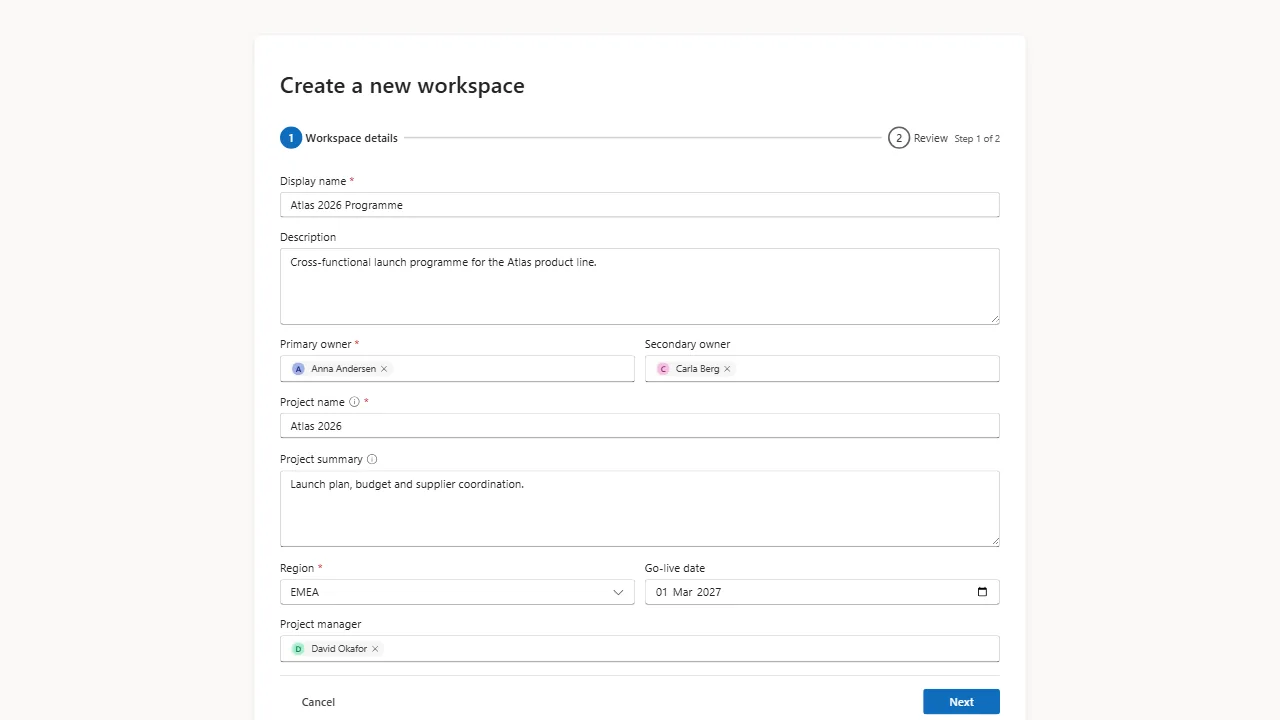
An employee picks a project template from the workspaces IT has approved. The naming policy is applied while they type, and they name a primary and a secondary owner from the directory. They review the request, accept the terms and create the workspace. In the Admin Center, IT sees every workspace and its health, including the new Team and site with its two owners. Owners confirm that their workspaces are still needed, a workspace that has lost its owner stands out, and inactive workspaces move through a lifecycle.
The problem
Workspaces drift when every team builds its own
- Inconsistent workspacesSimilar needs produce different structures, metadata and protection.
- Ownership and access that driftOwners leave, and access granted for a project outlives it.
- Manual setup and sprawlIT repeats the same configuration, and inactive workspaces never retire.
Core capabilities
Foundation makes the governed route the quickest one
- Self-service catalogApproved workspace types for recurring business needs.
- Workspace templatesStructure, naming, metadata, owners and membership, defined once.
- Ownership governanceNamed owners, validated as roles and employment change.
- Scheduled lifecycle governanceConfigured checks, reviews and notifications after provisioning.
- Administration and reportingWorkspace status, ownership and governance signals in one view.
- NotificationsRequesters and owners informed throughout. Approvals and access reviews come with EVO, which includes Foundation.
How Foundation works
Employees describe the business need. The workspace template decides how it is delivered, so governance starts at creation and continues afterwards.
Step 1: Request
Self-service portal
The portal offers approved workspace types by business purpose, such as a project room, a department site or a space to work with a partner, rather than technical settings.
The template collects owners, purpose and metadata in the request, so IT does not chase them afterwards. MOCA365 Fabric and Power BI, sold on its own, uses the same portal for analytics workspaces.
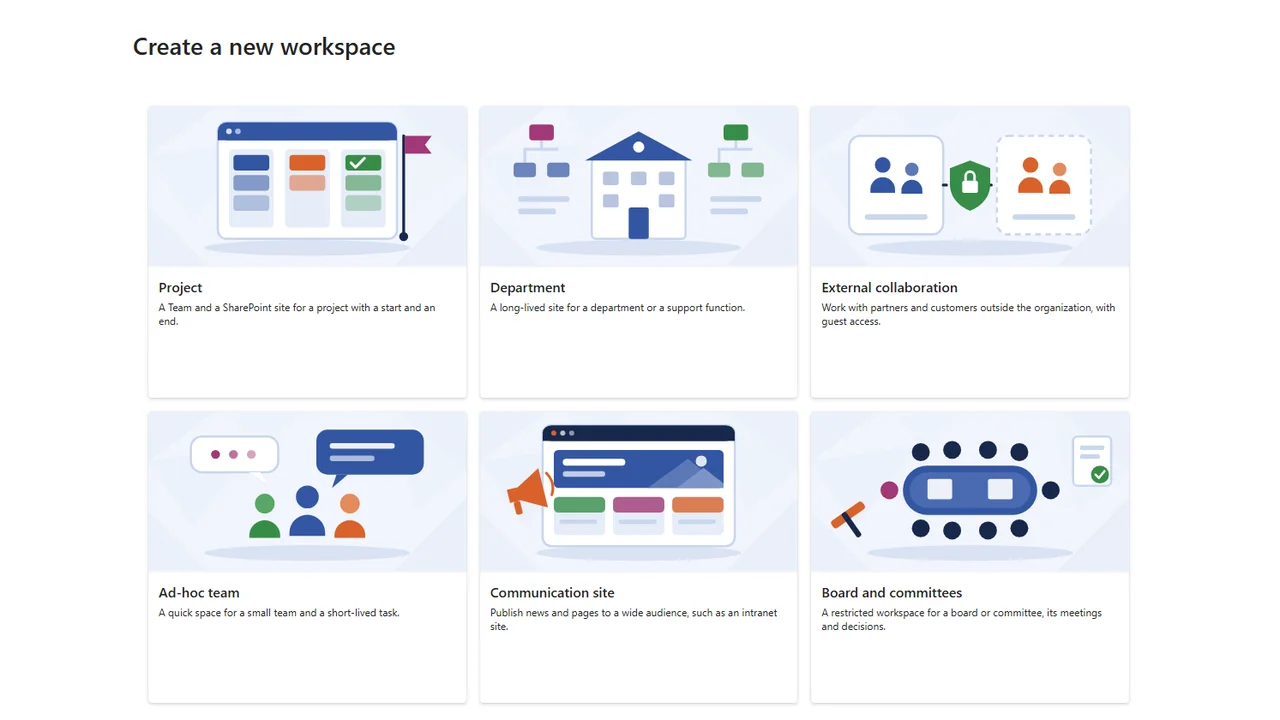 (full-size screenshot)
Step 2: Provision
Governed workspace provisioning
- Choose an approved serviceA recognizable workspace type, described by purpose.
- Add business contextOwners, purpose and metadata, captured once.
- Route approval where neededRoutine requests stay automated. Approval steps for sensitive or costly types come with EVO, which includes Foundation.
- Apply the templateThe workspace and its supported configuration, provisioned the same way every time.
- Continue governanceOwnership and lifecycle rules stay active after delivery.
It replaces unstructured service tickets, uncontrolled self-creation and provisioning scripts you maintain yourself.
Step 3: Govern
Policy enforcement
Most organizations already have a governance policy. Foundation puts it into the service: templates require owners and business metadata and apply approved structure and supported Microsoft settings, so the governed route is also the quickest one.
- ProportionateA routine internal workspace stays automated. A confidential one uses its own template and, with EVO, an approval step.
- ContinuousConfigured checks find drift after creation, when owners, activity and access change.
- ConnectedMOCA365 orchestrates supported settings. Microsoft Entra ID, Microsoft Purview and each workload provide the controls and their enforcement.
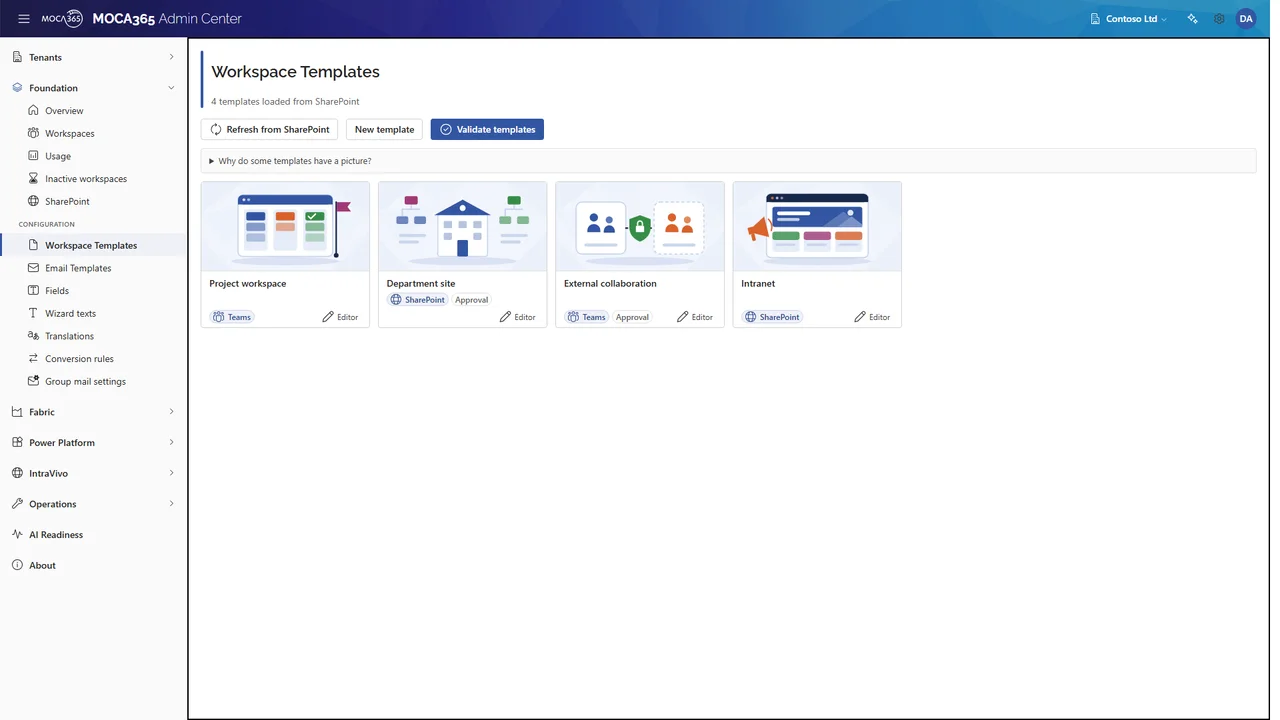 (full-size screenshot)
Where Foundation fits
Foundation connects to the other products without depending on them
Multi-tenant
EVO extends Foundation
Approvals, sensitivity labels, access reviews, multi-tenant operation, the API and the custom connector.
Content governance
IntraVivo governs the content
Foundation sets up intranet structures; IntraVivo keeps pages and documents owned and reviewed.
Sold separately
Foundation is sold on its own
Fabric and Power BI, IntraVivo and Power Platform Governance do not require Foundation.
MOCA365 Foundation
Foundation FAQ
What does Foundation provision?
Governed self-service provisioning for supported Microsoft 365 workspace types, including Teams and SharePoint sites.
Can each business need have its own Foundation template?
Yes. Each template defines the information, owners, structure and settings for a recurring need. Approval steps come with EVO, which includes Foundation.
Does Foundation governance stop after creation?
No. Configured scheduled processes continue checking ownership and lifecycle requirements.
Does Foundation replace Microsoft Purview?
No. Microsoft Purview provides classification and its enforcement. With EVO, a template can apply an approved sensitivity label to the group and site.
How is Foundation delivered?
Self-hosted, in your own Azure subscription and Microsoft 365 tenant, where your data remains.
What can employees request?
Whatever the organization publishes as an approved service: a project workspace, a department site or a confidential collaboration space, for example.
Do requesters need technical knowledge?
No. Services are described by business purpose. The template collects the required information and applies the technical configuration behind the scenes.
Does every request need approval?
No. Approval steps come with MOCA365 EVO, which includes Foundation, and are configured for each workspace type, so routine requests stay automated while sensitive or costly ones are reviewed.
Can policy differ by workspace type?
Yes. Each workspace type defines its own required information, owners and lifecycle, so a routine internal workspace and a confidential one follow different rules.
See MOCA365 Foundation working
We'll walk through the catalog, templates and ownership checks.